

Policy Engine and firewall
Observation is not policy enforcement
Reports and Alerts summarize evidence or send explicitly enabled notifications; they do not create firewall rules or remediate a condition. AdGuard integration does not turn DNS observations into DPI/application identity, and an illustrated client is not authenticated by its icon. The exact-MAC managed-Gateway proof, desired-state review, and Preview/Apply gates below remain unchanged. See Integrations and Alerts for those separate workflows.
The Policy Engine turns explicit intent into reviewable firewall, forwarding, route, and client-policy objects. It exposes both the high-level relationship and the concrete draft so broad access is not hidden behind friendly labels.
Before you create policy
- Define the networks and firewall zones first.
- Confirm the managed Gateway has current firewall/backend capability evidence.
- Confirm each client used by MAC has a stored This network (
local) observation from the currently adopted Managed Gateway. Upstream, Unknown, Monitor-only-observed, and not-yet-reobserved clients cannot become MAC policy. - Document the source, destination, protocol, ports, and business reason.
- Back up controller and Gateway configuration.
- Begin with a narrow test rule and a known client.
- Know how you will retain management access if the rule is wrong.
The Policy Engine is IPv4-focused in v0.1.8. QoS, application/DPI identity, proved priority semantics, switch ACLs, device/group routing, and advanced traffic classification remain unavailable or gated.
The three views
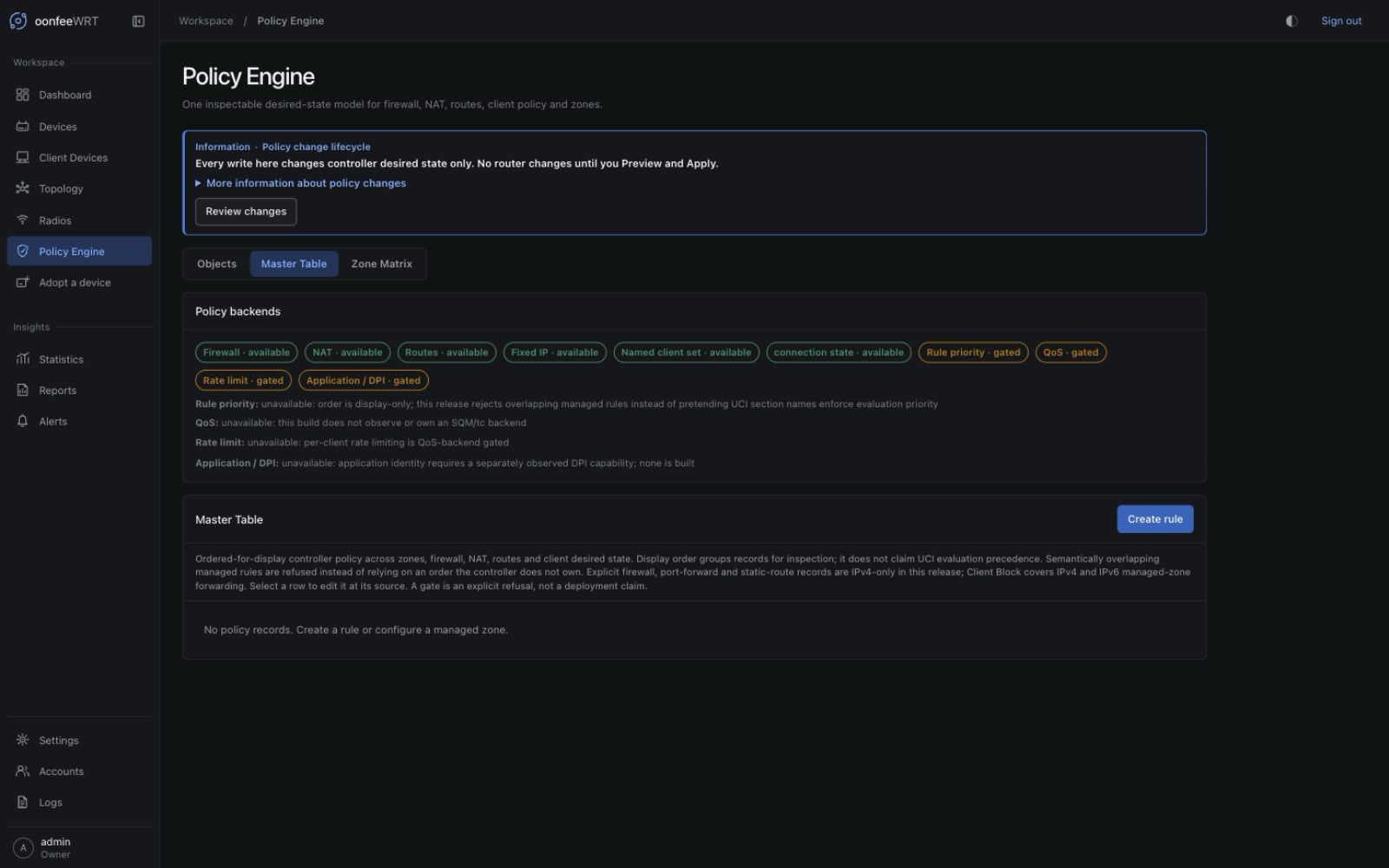
Master Table
The Master Table combines saved rules with synthesized zone-forwarding and client-policy rows. Use it to see which policies exist, their types, display order, enabled state, origin, deployability, and editable source.
Rows in this view include:
- explicit firewall rules;
- reusable-set rows and set-backed firewall rules with their resolved members;
- port forwards;
- static routes;
- client block/fixed-address/group intent;
- whole-zone forwarding relationships.
Display order helps reviewers understand intent, but do not assume a numeric priority has packet-processing semantics unless the preview/concrete backend proves it.
Zone Matrix
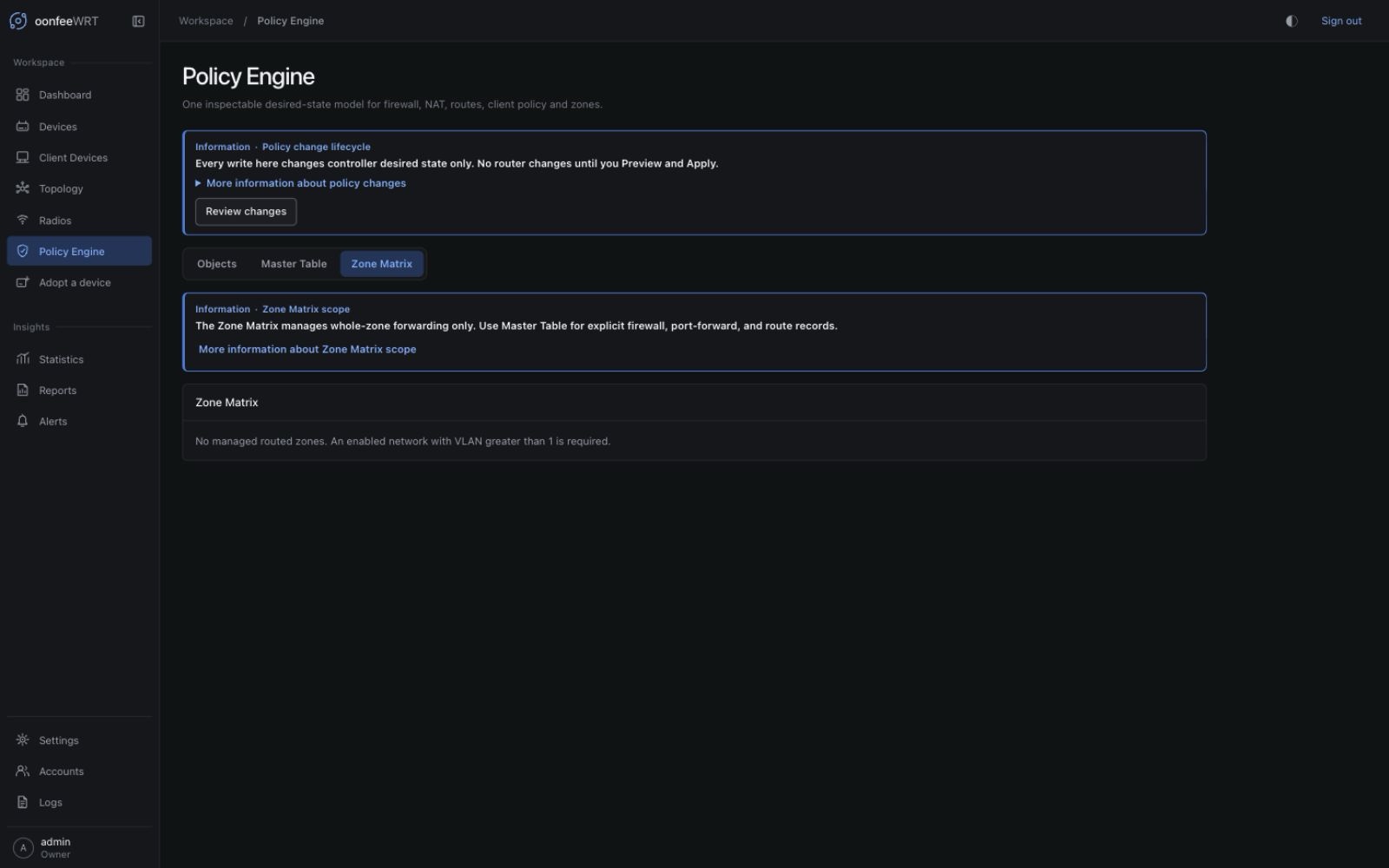
The matrix shows effective relationships from each managed source zone to other zones and WAN. Same-zone cells are informational. Editable cells open the source policy rather than mutating the router immediately.
Use it to spot broad forwarding before reading the exception rules:
- Which zones may initiate toward WAN?
- Which managed zones may reach each other?
- Which directions are read-only or derived?
- Does an allowed relationship exceed the narrow service actually needed?
Object Manager
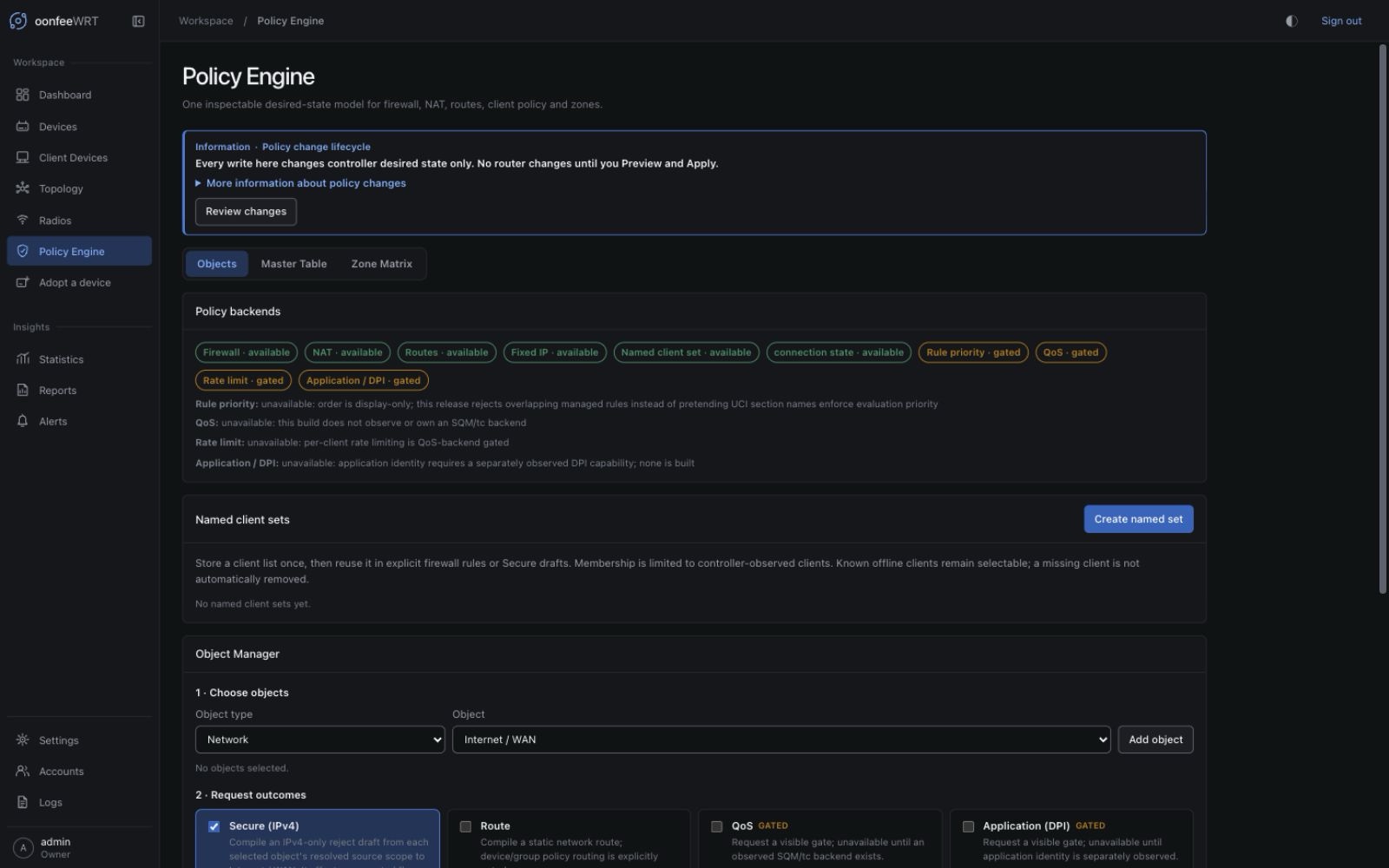
Object Manager compiles selected networks/clients and an intended action into a visible unsaved draft. Open the Objects tab to find it, and read the concrete result before saving it.
v0.1.5 also accepts a named client set as an object for Secure (IPv4). The result is a firewall draft that keeps the set's stable ID rather than copying a one-time member list. Route, QoS, and application outcomes remain unavailable for set objects. Compile again whenever inputs or membership change, inspect the fresh draft, then save it to desired state.
The client inventory can be partial. A selector built from incomplete current inventory is not proof that every intended endpoint is covered. Prefer stable network or explicit address objects when identity must survive MAC randomization or an offline client.
Create and maintain a named client set
Named client sets let several firewall rules share one exact-MAC membership list. They are controller objects, not OpenWrt address sets and not dynamic queries.
- Open Policy Engine → Objects and find Object Manager.
- In Named client sets, create a set with a unique descriptive name.
- Select one or more clients from the observed client inventory. Each must be classified This network (
local) for the managed Gateway. Being merely observed is not enough; Upstream and Unknown clients are refused. - Save the set. This changes controller desired state only.
- Use the set as a Named client set source in a firewall rule, or add it as an Object Manager object and request Secure (IPv4).
- Review its concrete resolved members in the editor and Master Table, then generate a fresh Preview.
Names are case-insensitively unique, cannot be blank or contain control characters, and are limited to 128 bytes. Membership is canonicalized and deduplicated, must contain at least one client, and is capped at 1,024 members. A rule can use direct source MACs or one source_set_id, never both.
How source-relative MAC proof works
Client presentation is global, but a source-MAC firewall rule is rendered only on the one managed Gateway. Schema 23 therefore stores observations by (device_id, MAC), with source-relative scope and last_seen. A MAC is eligible only when the currently adopted Managed Gateway has stored it as local.
Monitor-only AP, Switch, and routed-device observations remain visible but neither satisfy nor contaminate that proof—even after the observation device is un-adopted. An upgrade from before schema 23 starts without that provenance; v0.1.5 → v0.1.8 preserves existing provenance. Portable restore deliberately clears it because source-controller evidence is not destination write authority. Authorization rejects observations older than 30 days or more than five minutes in the future even if asynchronous cleanup has not run. The same 30-day cutoff prunes provenance while desired intent may retain the merged client row. The intent remains stored, but policy-set create/update, named-set Object Manager actions, direct-MAC Secure drafts, and active MAC Preview then fail closed until a successful managed-Gateway poll re-observes each MAC. You can still clear a blocked/fixed-address client one at a time. Otherwise prefer a managed network/zone or explicit IPv4 policy whose enforcement point is proved.
Editing a set changes every referencing rule on its next Preview; it does not silently rewrite the router. Deleting a set is refused while any enabled or disabled rule references it. Move or delete those rules first, or keep the set.
MAC identity boundary
An exact MAC is a useful local policy selector, not authentication. Clients can randomize or spoof MAC addresses. Do not use a set as the sole control for a high-trust security boundary.
Create an explicit firewall rule
- Open Policy Engine → Master Table.
- Add a rule and choose Firewall rule.
- Give it a descriptive name and display order.
- Choose
accept,drop, orrejectdeliberately. - Select the source zone.
- Select a destination zone, or leave it router-local only when that is the intended model.
- Choose protocols.
- Add source/destination IPv4 CIDRs and ports/ranges only as needed. For the optional client source, choose either direct MAC addresses or one named client set and verify the displayed resolved members.
- Save desired state.
- Review the Zone Matrix and generate a fresh Preview.
Avoid 0.0.0.0/0, all protocols, and all ports unless the zone relationship is intentionally broad and documented.
Create a port forward
A port forward exposes a service through the managed Gateway.
Required intent includes:
- destination zone;
- protocol;
- external port;
- destination IPv4 address;
- destination port;
- optional allowed source IPv4 CIDR.
Internet exposure
A correct port-forward rendering can still expose an insecure service. Patch the destination, restrict source CIDRs when possible, use application-level authentication/TLS, and verify the service from an external test path.
After Apply, test both an allowed and a denied source. Review Gateway logs and the exact rendered preview; a successful Apply proves configuration state, not that the application is safe.
Create a static route
Specify:
- target IPv4 network;
- next-hop IPv4 address;
- egress network;
- optional metric.
Verify the next hop is reachable on the selected network and that the return route exists. A forward route without a return path can look like a firewall failure.
After Apply, test from the Gateway and a representative client, then confirm that the route does not capture management or default traffic unexpectedly.
Manage client intent
Client desired policy can record a fixed IPv4 address, group, or block intent. The inventory identity and DHCP/firewall backend still determine how that intent is realized.
Before using a fixed address:
- keep it inside the intended subnet;
- keep it outside the dynamic pool or reserve it intentionally;
- account for randomized MAC addresses;
- verify there is no existing static assignment.
Both fixed-address and block intent are MAC-based. They require a client proved local by a stored observation from the currently adopted Managed Gateway. Monitor-only observations neither satisfy nor contaminate that proof. Existing blocked/fixed-address intent can still be cleared one client at a time. A group label alone does not write a MAC rule unless another active policy consumes it.
Review the concrete preview
The Preview is the decision boundary. Expand the Gateway and check:
- exact controller-owned UCI additions/updates/removals;
- protocol and port normalization;
- source/destination zones and router-local versus forwarded behavior;
- named-set ID and the exact canonical MAC members resolved at Preview time;
- route target, next hop, network, and metric;
- foreign rule/route conflicts;
- capability omissions or backend gaps;
- acknowledgement requirements;
- redaction of any unrelated secret values.
If a foreign rule already rejects or redirects the same path, resolve ownership explicitly. oonfeeWRT must not reorder or rewrite human-owned firewall state to make its preview converge.
Apply and validate
- Generate a fresh preview after the final edit.
- Start Apply once and follow the durable receipt.
- Confirm management access remains available.
- Test the intended allowed path.
- Test at least one intended denied path.
- For port forwards, test from outside the Gateway rather than hairpinning unless hairpin behavior is itself the requirement.
- For routes, test the return path and traceroute/route evidence.
- Check Logs → Audit and the Gateway device state.
Troubleshooting
| Symptom | Likely cause | Action |
|---|---|---|
| Rule saves but is not on the router | Saving desired state is not Apply | Generate a Preview and use the acknowledged Apply workflow |
| Preview blocks on firewall capability | firewall4/rpcd source is absent or unknown | Read the capability report, repair the supported OpenWrt source, and reprobe |
| Preview reports a foreign conflict | Human-owned UCI/nft rule controls the same path | Inspect exact order/effect; redesign or remove one owner intentionally |
| Port forward applies but service is unreachable | Application down, destination firewall, wrong route, ISP/CGNAT, or source restriction | Test each hop and service locally before changing the rule |
| Static route works one way | Missing return route or stateful firewall path | Correct the remote network and zone policy; do not add an unrelated broad allow |
| Object Manager list is incomplete | Client inventory/source coverage is partial | Use network/stable explicit selectors and fix coverage before relying on it |
| A client cannot be added to a set | The MAC lacks a stored local observation from the currently adopted Managed Gateway, is Upstream/Unknown there, or the current UI result is partial | Complete a successful managed-Gateway poll, inspect This network scope, and reload; otherwise use a network/zone or explicit IPv4 policy |
| Object Manager returns a gate instead of a Secure draft | The selected client/set lacks proved local managed-Gateway scope; a Monitor-only observation alone is insufficient | Keep the gate visible; complete a managed-Gateway poll or choose a network/zone or explicit IPv4 scope rather than forcing a MAC rule |
Preview reports MAC-based policy scope is unavailable | Active direct/set firewall, blocked-client, or fixed-address intent lacks a stored local observation from the currently adopted Managed Gateway | Complete a successful Gateway poll, or remove/redesign that MAC intent; blocked/fixed-address intent may be cleared one client at a time |
| A set cannot be deleted | An enabled or disabled firewall rule still references its stable ID | Find the set-backed rows in Master Table, move or delete those rules, then retry |
| A set membership change is not on the router | Set CRUD changes desired state only | Generate a fresh Preview, verify the newly resolved members, and explicitly Apply |
| Management is lost | Policy affected router input or management path | Let OpenWrt rollback unconfirmed Apply; inspect the durable outcome before retrying |