

Explore the isolated demo
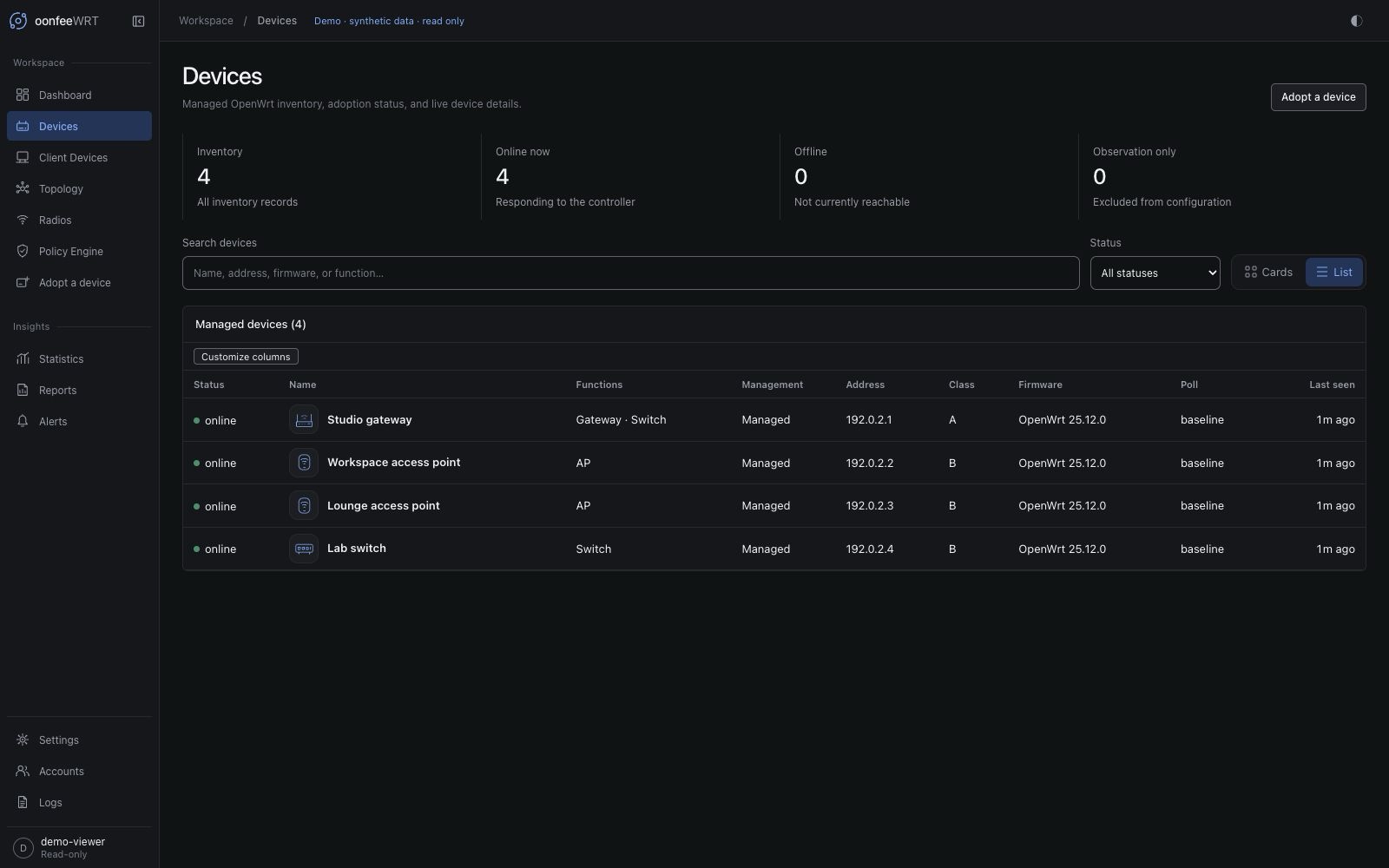
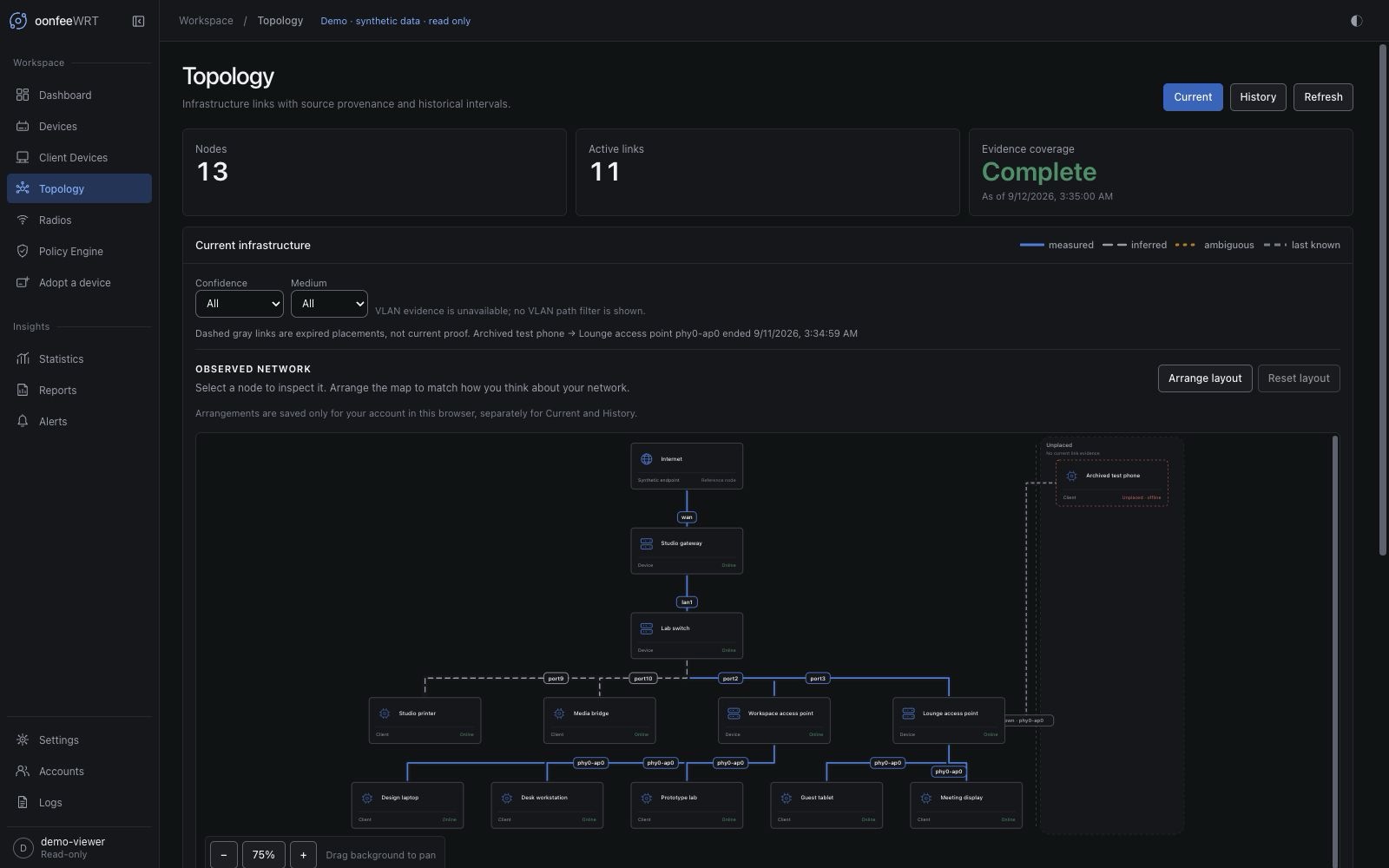
The demo is a separate, read-only build of the v0.1.8 Precision interface. It contains an original fictional studio network: four infrastructure devices, eight clients, historical traffic, a topology map, radio channel plans, and sample alert rules. No controller or router is connected.
Synthetic examples, not measurements
Every identity, event, and chart value is generated locally. The demo is useful for exploring the interface and taking representative screenshots; it is not a hardware compatibility report, benchmark, or test of your own network.
Build and open it locally
From the repository root, using the project's supported Node.js version:
npm --prefix ui ci
npm --prefix ui run build:demo
npm --prefix ui run preview:demoOpen the local demo. The preview binds only to the local computer. Port 4180 must be free; the command fails rather than silently choosing another port.
The generated files live in ui/demo-dist/, independently of the controller's embedded ui/dist/ build. Building the demo does not replace, restart, or publish the real controller. Stop the preview with Ctrl+C.
What to explore
- Dashboard: synthetic Internet health, recent traffic, fleet counts, and illustrative speed-test results.
- Insights → Statistics and Reports: deterministic traffic and system history across bounded time ranges. Deliberate collection gaps remain gaps, not zeros.
- Topology: inspect connections and arrange the fictional network. Layout edits affect only this browser; they never change connectivity.
- Devices and Client Devices: inspect the fictional inventory, filter clients, and open their detail views.
- Radios: compare example channels on two access points. No RF scan runs.
- Insights → Alerts: review sample rules and a resolved incident. No notifications are delivered.
- Settings → Network / Firmware and Accounts: inspect the available read-only information. The demo account is a viewer, not a controller administrator.
- Settings → Integrations: review the connection boundaries for AdGuard Home and WireGuard. No service is connected and no external check can run.
The demo uses the same collapsible Workspace/Insights sidebar, compact fleet strip, and bottom profile shortcut as the controller. Settings tab links use /settings?section=firmware and /settings?section=integrations; the older standalone URLs still work. Changing layout or navigation is local to this browser and does not make the demo capable of real controller operations.
Safety boundaries and limitations
Never enter real router credentials, account passwords, backup files, or private keys in the demo. They are unnecessary: the demo signs into its fictional read-only account automatically.
The build replaces the controller API, live channel, and service-worker registration with local adapters. It has no daemon proxy, registers no controller service worker, and opens no live socket. Its content-security policy also blocks connection requests and form submissions. Any unsupported action, including adoption, discovery, scans, speed tests, firmware checks, account changes, configuration changes, and backup/restore operations, is refused locally with a read-only message.
Some detail panels therefore contain unavailable information or disabled actions. Those boundaries are intentional; the demo does not claim that a simulated successful operation was performed on real hardware.
The fictional network uses documentation-only IP ranges and locally administered MAC addresses. Screenshot redaction is a separate publishing choice: label demo screenshots as synthetic and do not present them as live network validation.
This page describes the separately built local demo. v0.1.8 does not include a publicly hosted demo service, and demo fixtures are never router validation.