Stock OpenWrt stays in control
The controller runs on your server, NAS, mini-PC, or Mac. Routers keep their existing firmware, LuCI, and human-managed configuration.
One self-hosted controller for visibility, adoption, safe configuration, radio planning, policy, backups, and operations across stock OpenWrt devices.


Documentation for v0.1.8
Current release — v0.1.8 · LLDP and shared-PHY reliability
The Devices page now handles a null LLDP package list and displays an empty controller-added list as none recorded. Configured radios that share one physical PHY retain distinct, authoritative UCI wifi-device section keys; invalid, duplicate, or ambiguous targets fail before router writes.
The v0.1.7 Precision interface, v0.1.6 feature set, and existing safety boundaries remain. Affected shared-PHY devices should be re-probed and checked in a fresh Preview before an explicitly authorized Apply. See the v0.1.8 changes.
Schema-safe upgrades
v0.1.8 retains schema 25 from v0.1.6 and v0.1.7, with no new migration between those versions. Older v0.1.5 data still migrates 23 → 24 → 25. Preserve the matching pre-upgrade database, keyring, runtime passphrase, and old binary/image before starting the new controller. A binary-only downgrade cannot restore older state. Follow the migration and rollback guide.
oonfeeWRT is a self-hosted controller for small OpenWrt networks. It gives a single, UniFi-inspired interface to devices that still run stock OpenWrt. The controller observes the fleet, keeps desired configuration, and makes only the changes you review and approve.
It is not firmware. Nothing is installed on a router when you start the controller, discover a device, or add an address. Adoption can create one scoped oonfeewrt login and one reviewable rpcd ACL after consent. Managed and Monitor only modes install different ACL content; oonfeewrt-monitor grants observation reads only. The controller-managed optional package workflow is LLDP, with a separate plan and rollback.
The source tree also includes a separately opt-in, manually packaged rpcd helper introduced in v0.1.6 and unchanged in v0.1.8. It is not installed by adoption and does not add a daemon, listener, arbitrary command channel, or firmware flashing. Ordinary management remains agent-free.
Understand the fit, requirements, hardware evidence, security model, and current limitations before installing anything.
Choose a standalone binary or Docker Compose, preserve the data directory, create the first owner, and verify the controller.
Inspect capabilities first, review the scoped access payload, adopt with the minimum functions, then verify the capability report.
See which actions are read-only, which require acknowledgement, how ownership works, and what happens during rollback or recovery.
A uniquely proved, usable lowest-metric main-table IPv4 default route, exact-match runtime counters (including PPPoE), ICMP reachability, six-hour trends, recent warnings, topology summary, and bounded Cloudflare speed tests from the controller host.
On-demand IPv4 discovery, add-by-address, read-only inspection, Managed or Monitor only mode, independently selected functions, pinned identity, and a sanitized compatibility-report download.
Firmware identity, load, memory, throughput, radio series, management overhead, adjustable polling, client presence and attribution, clearer inventories, and gap-aware historical Statistics.
Current and historical topology with evidence confidence, source-aware multi-hop FDB/LLDP projection, VLAN and medium filters, radio inventory, channel plans, utilization, interference, and acknowledged RF scans.
Networks, VLANs, IPv4 CIDRs, DHCP, explicit Router managed/Prefix delegation/Disabled IPv6 policy, firewall zones, WLANs, AP groups, 802.11k/v/r, mesh backhauls, wireless uplinks, and bounded per-device overrides.
Zone matrix, explicit firewall rules, port forwards, static routes, fixed client addresses, reusable exact-MAC policy sets, and visible compiled drafts before they enter desired state.
Redacted preview, fleet preflight, acknowledged Apply, Gateway-last ordering, OpenWrt rollback, durable operation status, ownership records, and careful un-adoption.
Owner, administrator, operator, and read-only roles; session control; audit history; stored-only redacted diagnostics; encrypted portable backups; compatibility preview; and staged restore.
See the complete capability and support matrix →
These screenshots show the v0.1.7 interface, which remains visually representative of v0.1.8, using a real development controller in dark mode. The documentation supports both light and dark themes; screenshots remain dark. Select any image to see it at full size.
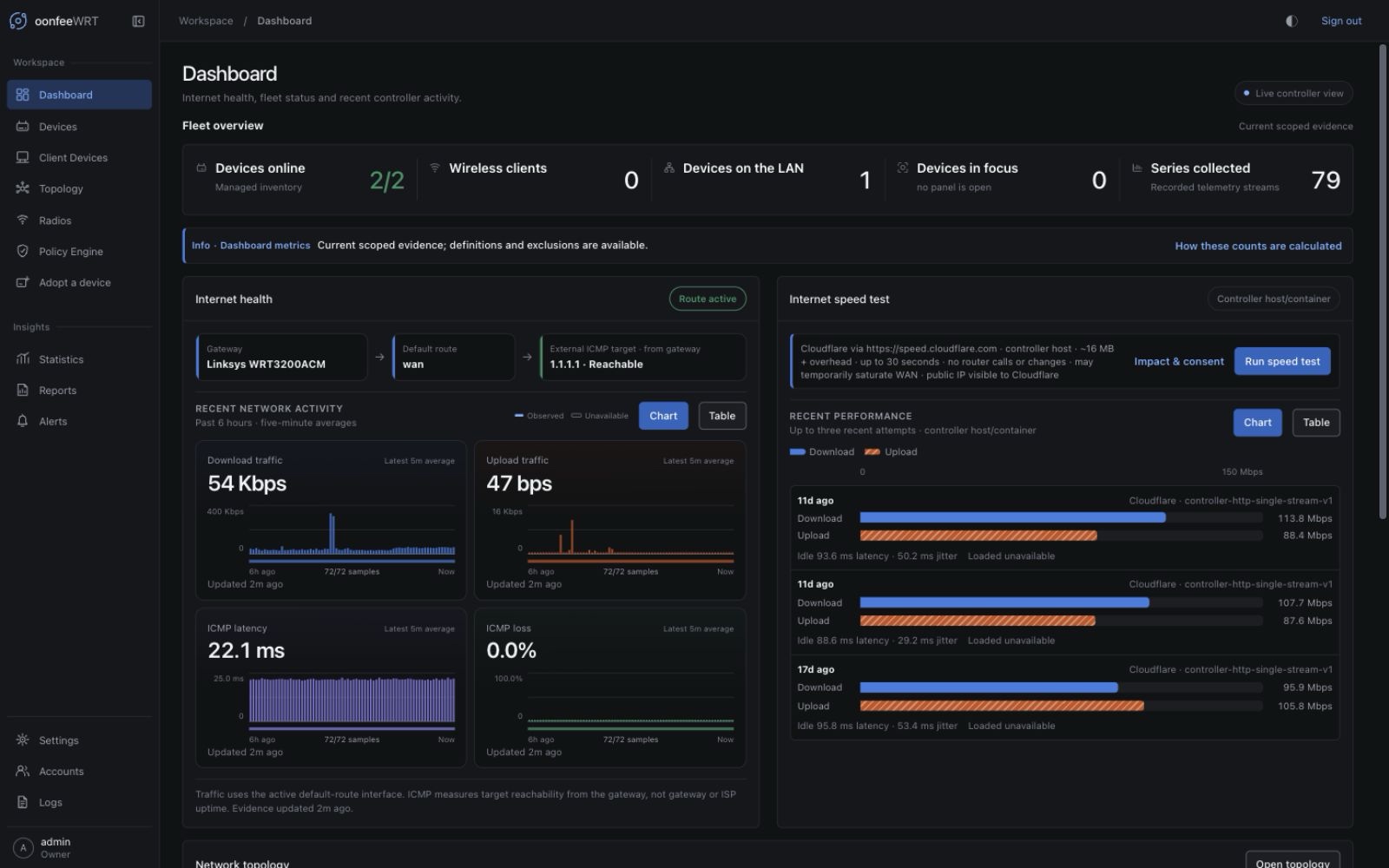
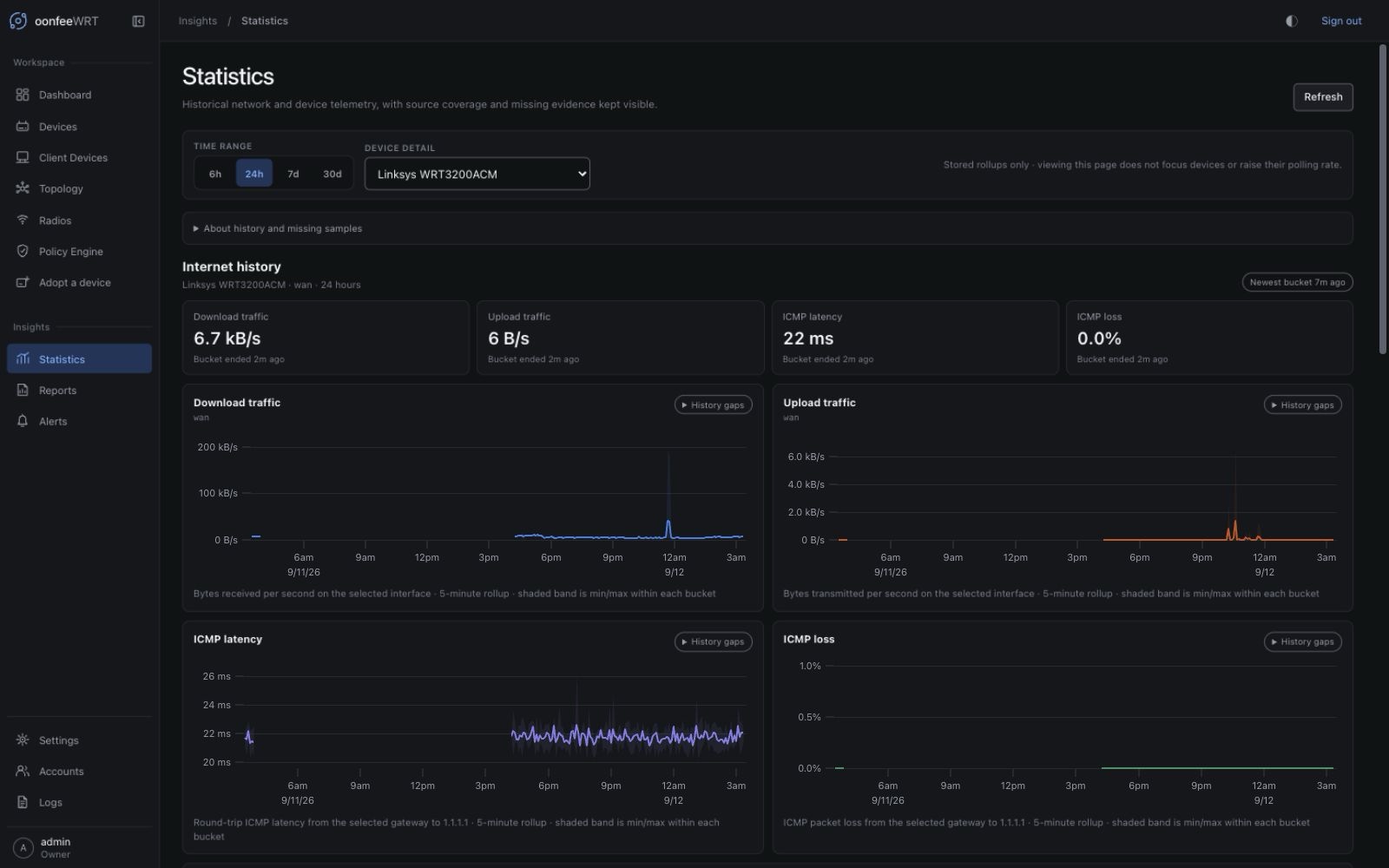
Take the visual tour of every workspace →
| Component | Location | Responsibility |
|---|---|---|
oonfeewrtd | Your 64-bit Linux or macOS host | UI, API, collection, desired state, encrypted secrets, SQLite history |
| Web browser | A trusted management client | Local sign-in, review, configuration, and operations |
| Stock OpenWrt | Each managed router or AP | Networking, wireless, firewall, DHCP, ubus/rpcd, rollback |
| Optional reverse proxy | Usually the controller host | Trusted TLS and secure remote access over an existing routed network or VPN |
The controller does not provide cloud access, NAT traversal, or custom firmware. Remote sites need an existing management route or VPN. The optional helper is a separate read-only integration component, not the controller running on a router or a remote-access tunnel.
oonfeeWRT v0.1.8 deliberately does not claim capabilities it cannot prove.
/22 for an unauthenticated /ubus endpoint. A bridged container may not see the LAN subnets to scan, so add devices by address.mwan3, and manual WAN selection are not modeled.Review requirements and compatibility →
The shortest safe path is to install the controller on a host that can reach your router, create the first owner, add one non-critical OpenWrt device by address, inspect it, and adopt only the functions you need.
If oonfeeWRT is useful to you, you can support future development, hands-on testing across more OpenWrt hardware, and careful release validation.
Buy me a coffee