Code in context
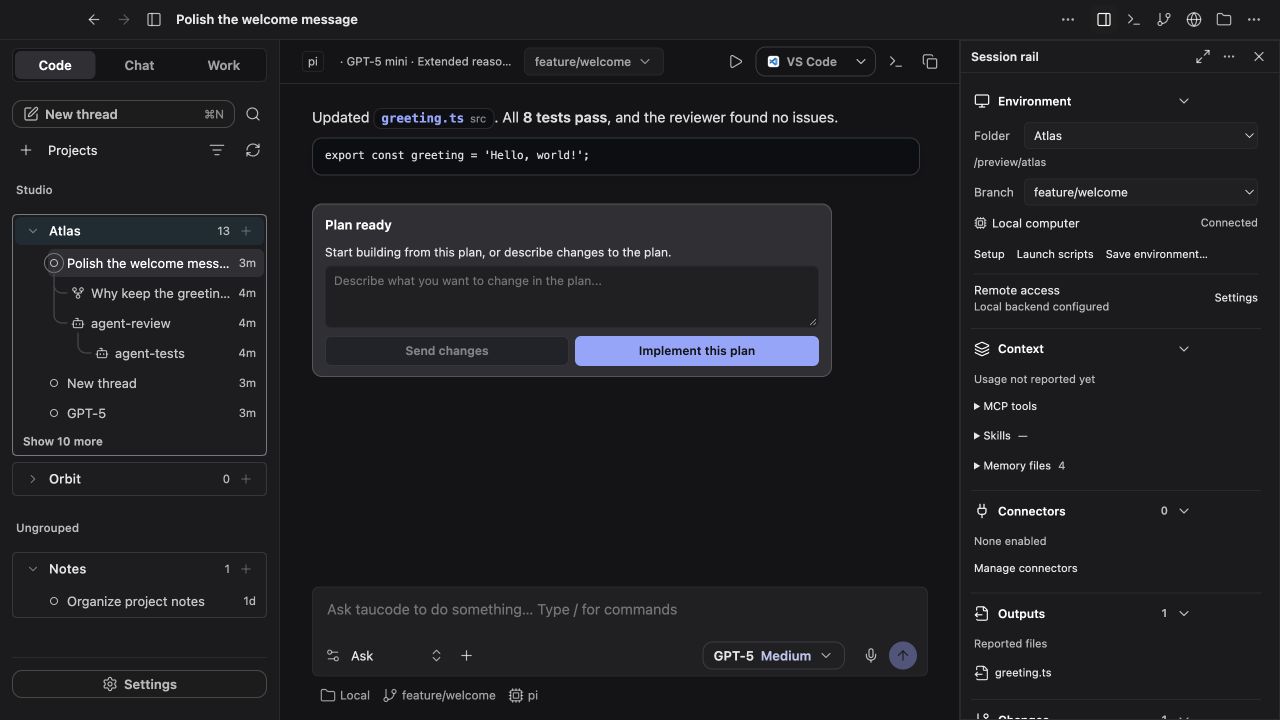
Ask questions about a coding project, review file changes, and work with its code in one place.
Code, conversations, and document work in one desktop app. Choose your provider, pick an engine, and keep the work together.

First time using AI tools? Begin with New to taucode?, follow installation, then make a file with the first Work task. Look up unfamiliar words in the glossary.
| You want to… | Start here |
|---|---|
| Learn the basics without assuming coding knowledge | Start here |
| Follow a complete, no-coding example | Your first Work task |
| Install taucode and run a first task | Installation & first run |
| Connect a cloud API or local server | Providers & models |
| Understand models, engines, and connectors | FAQ |
| Work with more than one agent | Agents & Chain of Command |
| Add tools or code intelligence | MCP connectors & CodeGraph |
| Understand what can leave your computer | Privacy, storage & trust |
| Fix a failed request or installation | Troubleshooting |
| Build, test, or contribute | Development |
taucode is in early development. macOS has the broadest live verification; Windows has an experimental installer and build/startup checks. Linux and iOS need more validation. The builds and platform status page explains the current evidence and limitations.
The app is built on CodexMonitor. It uses your provider credentials and can make real file, shell, browser, or desktop changes according to the features and permissions you enable. Keep backups and read the privacy and trust guide.